
Cook with what you have.
There’s food here. What could it become? MakeGood is an app that helps you decide what to cook from ingredients already in your kitchen. Take a photo or type them in, review your list, and see dinner possibilities built around what you have.


From ingredients to dinner.
You don’t need to start with a dish in mind. Start with what’s there.
Show what you have, or type it in.
Photograph your fridge, freezer, pantry, or ingredients on the countertop. Good light and a clear view help. Take more than one photo when you need to, or use manual entry for anything you already know is there.
Review what MakeGood recognizes.
A photo becomes an ingredient list you can check. Skip anything that isn’t there, edit an item, and add anything we missed. Confirm uncertain ingredients only when they’re right. Your reviewed list is the starting point for dinner.
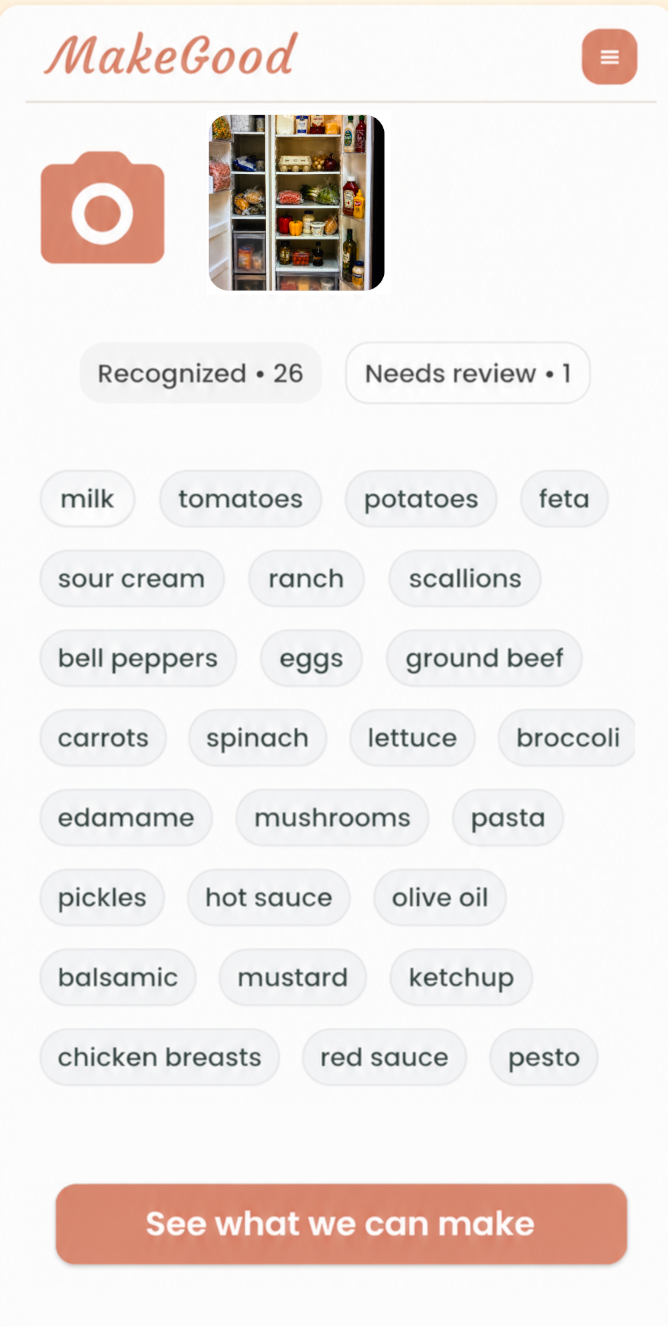
Choose what sounds good.
MakeGood creates dinner options from the ingredients you confirm. Look through the possibilities, read the recipe, and choose what fits your evening. You can ask for more options from the same list.
Bring it to the table.
Use the full recipe or follow Guided Cook Mode one step at a time, with built-in timers and serving adjustments. Save a meal you’d like to make again.
Help with ingredients and cooking →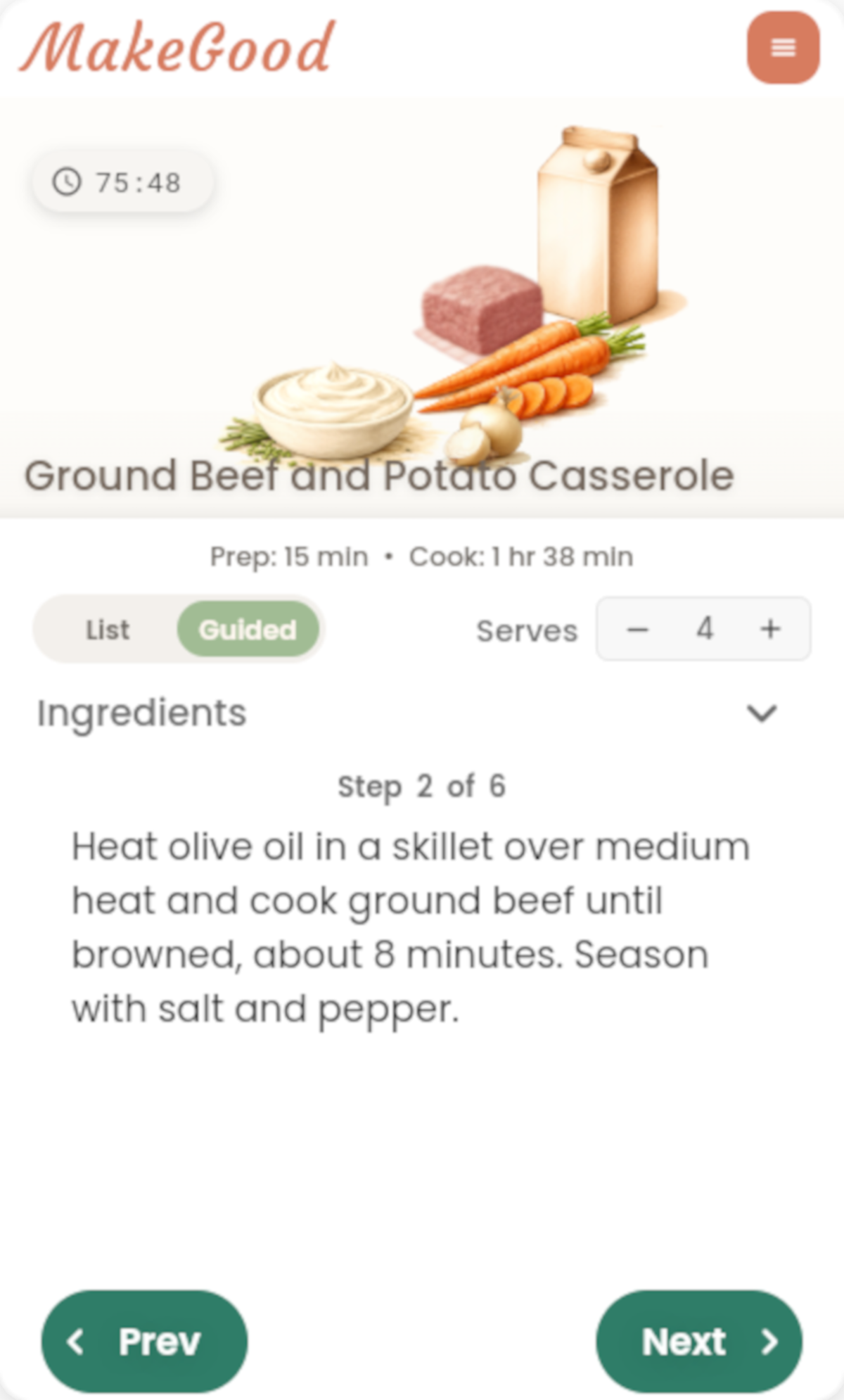
A few kitchen questions.
Can I get recipes from a photo of my fridge?
Yes. MakeGood recognizes ingredients in your photo, lets you review and edit the list, and creates dinner options from the ingredients you confirm. Give it a clear view of the food, and check the list before continuing. Recognition can miss or misidentify items.
Is there an app that tells me what to cook based on ingredients?
MakeGood starts with your ingredients and creates dinner possibilities around them. You can photograph what’s available or enter it manually, then choose a meal that sounds good to you.
Can I use food from my freezer, pantry, or countertop?
Yes. Photograph ingredients wherever you keep them, including your fridge, freezer, pantry, and countertop. Use good light and more than one photo when everything won’t fit clearly in one image. Type in anything that’s hard to see.
Can I enter ingredients without taking a photo?
Yes. Use manual entry to type ingredients on the main kitchen screen. You can also add items while reviewing a photo’s recognized ingredient list. A photo isn’t required to begin.
Will a recipe use everything I have, or ask for things I don’t?
Each dinner option may use only some of your confirmed ingredients. MakeGood is designed to create meals from that list, but recipes may also rely on basics such as water, salt, pepper, or cooking oil. Read the recipe’s ingredient list before you start.
Is MakeGood free to try?
MakeGood is free to download for iPhone and Android and includes one complete free kitchen run, from ingredients through cooking. New kitchen sessions then require a $19.99 annual membership, subject to the price shown in your app store. Saved recipes remain usable. There’s no timed trial or automatic trial conversion.
For more detail, visit MakeGood Support. For the idea behind starting with your kitchen, read Our Story.
See what you can make.
Make something good with what you’ve got.